Take part in our latest brand partnership survey

We need your help now

Support from readers like you keeps The Journal open.

You are visiting us because we have something you value. Independent, unbiased news that tells the truth. Advertising revenue goes some way to support our mission, but this year it has not been enough.

If you've seen value in our reporting, please contribute what you can, so we can continue to produce accurate and meaningful journalism. For everyone who needs it.

Shutterstock

Taskmaster: How to finally sort out that pile of photographs

You’ve got 20,000 photos on your phone. What are you supposed to do with them all?

PHOTOS ARE MORE than just pictures. In the digital age, our phones tend to be packed with dozens of gigabytes of cherished memories that we don’t want to lose. 

Not only that, but the more photos you have, the harder it becomes to put any order on them. But that doesn’t mean you should let disorganisation win. 

Organising your photos and transferring them somewhere safe might take you the guts of an evening, but the good news is that once it’s done, it’s done – and you’ll probably have a nice nostalgic night looking at the fun times you’ve had over the years.

Read on for some simple tips on how to organise your photos and keep them safe. 

Back it up

The first and most essential step when it comes to organising your photos is making sure that they are safe. Having 20,000 photos on your phone is all well and good, but if you lose the phone and haven’t backed it up, then you can kiss those photos goodbye. Similarly, technical difficulties and glitches can play a role even now and cause you to lose important files from your devices. 

While there are plenty of decent cloud options — such as iCloud and Google Photos — the best way to give yourself peace of mind is to first upload your photos to a laptop or desktop via a cloud service and then move them onto an external hard drive. These drives can be bought in any electronics shop and can provide massive amounts of storage beyond what your phone, laptop or cloud service will provide.

High-quality terabyte hard drives are available from €70, offering you 1,000 gigabytes of storage. But before you take that step, there is something else you have to take care of…

Your digital filing cabinet

yellowfoldersdocumentsmediacontentdisplayedonmonitor-officeclerks Shutterstock Shutterstock

Before you move a lifetime of photos onto your hard drive, you want to make sure that you have them all in order. Having all of your photos on a hard drive is no use to you if the next time you plug the hard drive into a laptop, you’re just getting 20,000 photos in random order with no way to efficiently search through them.

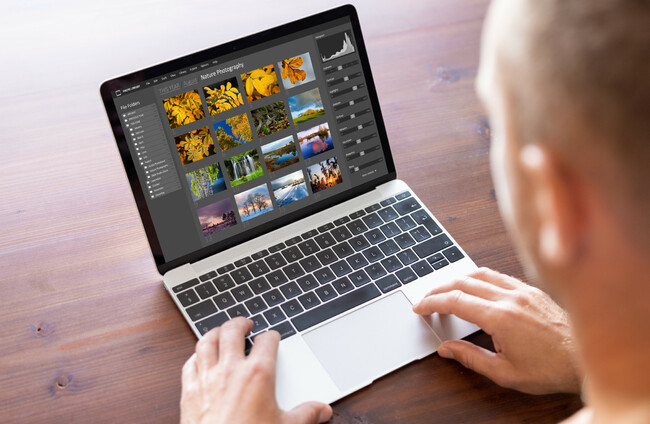
The smartest way to do this would be to move your photos into folders on your laptop. If you want to organise by date, you could have a folder for each year, and inside each of those folders, have 12 more folders for each month. This might sound like a lot of work, but if you’re the kind of person who enjoys putting order on things, this will truly be one of the most satisfying ways you can ever spend an afternoon.

If you’re not really a dates person you could also organise by theme! Have separate folders for family photos, pet photos, holidays, music festivals, etc. You can organise using any system you like, but it is essential to have a system. Make sure to label your folders so that any time you plug your hard drive back into a device, your photos will be very easy to find. This will keep your memories not only safe, but accessible too.

Cloud software, such as Google Photos, can be helpful in this regard as it can use facial recognition and location data to help you sort photos by who they feature and where they were taken.

Once the photos have been moved onto the external hard drive, the most important thing is to keep that hard drive somewhere safe. If you are a hardcore cautious person, you could even buy a second hard drive and do it again — a backup to your backup of your backup.

Let’s get physical

printedphotosoffamilysummervacationlyingondesk Shutterstock Shutterstock

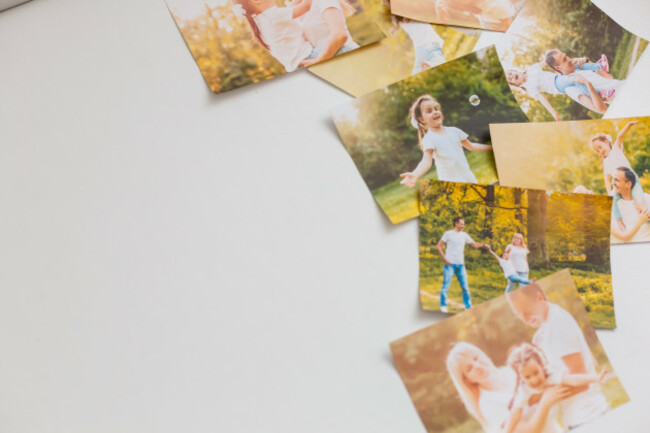
Of course, another way to keep track of your absolute favourite photos is to bring them into the physical world. One of the most fun ways to go through your photos is to print off some of the best ones, make your own collage and frame it. 

This can make for a nice family activity, and at the end of it you’ll have a collection of memories that you can hang in your home and smile every time that you see it. And if you ever need to add another photo to the collage, all you need to do is consult your hard drive.

Close