Sign in. It’s quick, free and it’s up to you.
An account is an optional way to support the work we do. Find out more.
Sign in. It’s quick, free and it’s up to you.
An account is an optional way to support the work we do. Find out more.
IT’S NO NEWS that Google uses one general account to keep everything together. Once you log into one service (Gmail, YouTube, etc.), that’s used for all Google services.
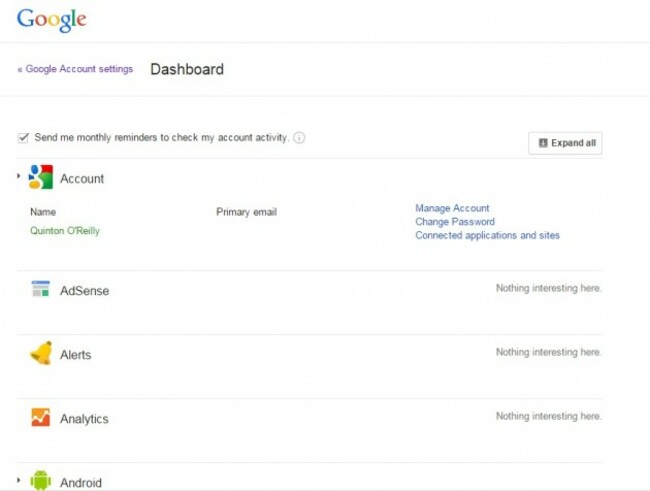
All of this information is kept together in Google Dashboard, a service which allows you to access all of the Google services you use.
Everything Google saves, (search history, Google Play, Maps, Gmail, location history, Chrome sync, contacts and Android if you use such a device) can be found here.
Any relevant sections can be expanded and while you can get a quick overview of each one, there’s a more important reason for accessing this.
For one, you have access to both settings for each section as well as your own account settings.
The latter is more important since that’s where security features such as two-step verification and device management, something you should really take the time to check. Also, it saves you time having to visit each site so you can keep things under control.
It’s a good idea to bookmark it and tick the monthly reminders box so you don’t forget about it.
And how do you see what Google knows about you? Provided you’re logged into your account, use this link and you will see what Google ads knows about you. It’s pretty accurate with demographics and interests (which are based on the sites you visit)
It’s recommended that you access both services on desktop instead of mobile (unless you really like squinting or zooming in every time you load up a page).

To embed this post, copy the code below on your site















have your say