Sign in. It’s quick, free and it’s up to you.
An account is an optional way to support the work we do. Find out more.
Sign in. It’s quick, free and it’s up to you.
An account is an optional way to support the work we do. Find out more.
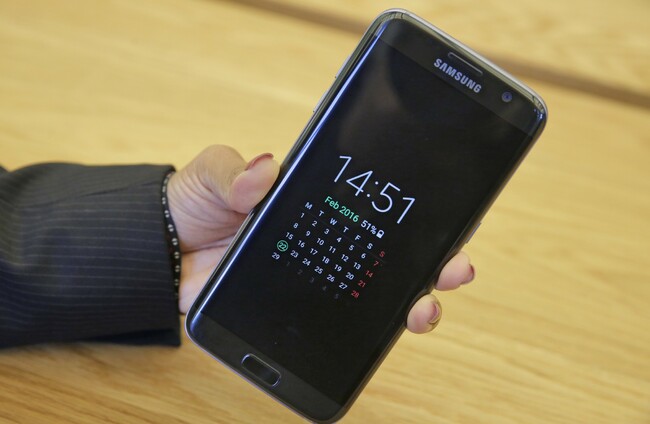
THERE ARE QUITE a few ways to make battery life longer on your phone. Turn off location services, reduce display brightness, disable background activity for certain apps and so on.
Another one that pops up every now and again is changing your phone’s background to black or dark colours. They’re not exactly appealing to look at but if you’re still looking for solutions, it could help a little.
Whether it’s useful or not depends on the type of display your phone uses. There are two types of displays, LCD (Liquid Crystal Display) and AMOLED (Active-Matrix Organic Light-Emitting Diode).
Without going into too much detail, LCD displays are backlit meaning everything on screen is lit up regardless of colour. AMOLED and OLED displays don’t have a back light. Instead, each pixel lights up individually so when a pixel is black, it doesn’t need to produce any light.
Unfortunately, many smartphones like the iPhone range use LED displays so such a change won’t improve battery life for them. The only change you’ll notice is how apps and widgets easier for you to see.
That said, there are a few devices out there that use AMOLED displays, Samsung’s Galaxy S range being one example, and changing the background to black can help extend battery life but only slightly.
For it to be properly effective, you would have to be on the home screen for long periods for that to work – or activate night mode on apps that include it – but considering that current phones now have better methods for saving battery life, it’s ultimately a minor improvement.
If you’re seriously stuck for solutions on how to extend battery life and you have an AMOLED display, then a dark background can help. Just don’t expect it to have a major impact.

To embed this post, copy the code below on your site















have your say