Sign in. It’s quick, free and it’s up to you.
An account is an optional way to support the work we do. Find out more.

Sign in. It’s quick, free and it’s up to you.
An account is an optional way to support the work we do. Find out more.


GONE ARE THE days of blurry phone photos taken on tiny screens. As smartphones have advanced, so too have their cameras.
Of course, there’s not much point in having all that photographic power in your pocket if you have no idea how to use it.
“A camera is just a tool at the end of the day, whether it’s a phone or a full frame DSLR” says Offaly-based photographer Paul Moore, who regularly gives workshops on smartphone camera use.
“Almost everyone has a mobile phone but very few are aware of what the camera is capable of with some skills and practice.”
Want to perfect your smartphone photography? Here’s Paul’s advice…

If you don’t have a photographer’s eye just yet, use your smartphone’s built-in focusing tools to ensure your image is as sharp as can be.
Focusing an image is a simple task, but forget to do it and you could cost yourself a brilliant photo. ”Most errors can be rectified with a bit of editing, aside from focus,” says Paul.
Just tap the area of the viewfinder where your subject appears, and the camera will focus on that point. Once the focus is set, alter your exposure to brighten or darken the scene as needed.

Low light is the photographer’s enemy, so you should do what you can to maximise the light you have, says Paul.
The Samsung Galaxy S9 and S9+ are the first smartphone cameras to have a variable aperture, meaning you can alter the amount of light the lens allows in. If you’re not lucky enough to own one yet, you’ll have to make do by finding the best light sources possible.
“Move your subjects to a brighter area and hold the phone steady to reduce blur,” advises Paul. “I love shooting at ‘golden hour’ just before sunrise and sunset, when light and shadows play brilliantly off one another.”
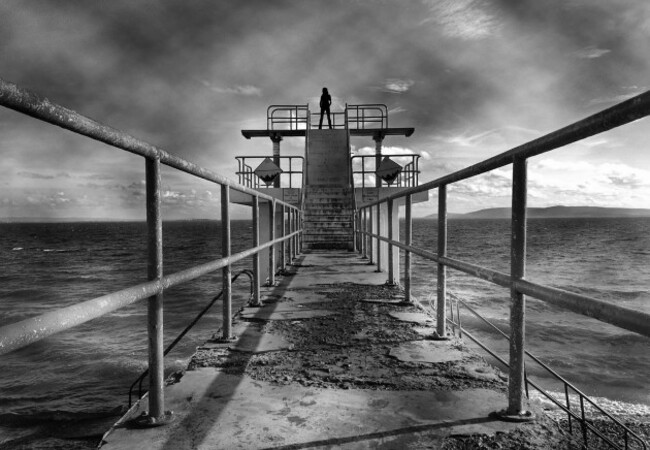
If you’re ever dabbled in photography before, you’ll have heard of the rule of thirds, where you divide your photo’s area into a nine-square grid, placing your point of focus on one of the intersecting lines.
On your smartphone, this process becomes even easier if you switch on the grid overlay, cutting out any guesswork. Plus, another tip from Paul:
You can also use lead-in lines when composing a shot. Use converging lines to try and lead the viewer’s eye to the subject of the photo.

“One common mistake new photographers make is to stand with the camera at face level and shoot from there,” says Paul.
Take the time to look at the scene and you may find another shooting angle that works, be it by crouching on the ground or finding somewhere high up.
When framing the shot above, Paul held the camera high, and pointed it down. “The viewer can see his smiling face and the golf ball in the hole, so they know straight away what is happening,” he says.

You’ve probably accidentally flicked the HDR setting on once or twice, but it does serve a very useful purpose when used correctly. As Paul explains:
“HDR, or High Dynamic Resolution, is a great setting for landscape shooting. It will balance out the light in the final image by bringing out detail in the foreground and bringing down highlights in the sky.”
Unless your landscape is downright breathtaking, that vast spread of green or blue is probably going to bore your viewer, so Paul advises putting something of interest in the foreground to lead the eye in, be it a reflection or a passing stranger.

“Editing is where the real fun begins,” says Paul.
I edit all my photos. Often it’s basic edits like increasing brightness and saturation, or I might crop the shot to improve composition. But sometimes I’ll do much more than that.
Paul recommends two “powerful” editing apps, Snapseed and HandyPhoto, as a solid complement to your phone’s existing editing tools, where you want to make basic adjustments or are looking for something more advanced.
Introducing the Samsung Galaxy S9 and S9+. With a revolutionary camera that adapts like the human eye, you can capture stunning pictures at any time of day. Plus Infinity Display, a face and iris recognition system, real-time translation and AKG-tuned stereo speakers. Find out more about the Samsung Galaxy S9 and S9+ here.
To embed this post, copy the code below on your site














have your say