Sign in. It’s quick, free and it’s up to you.
An account is an optional way to support the work we do. Find out more.
Sign in. It’s quick, free and it’s up to you.
An account is an optional way to support the work we do. Find out more.
WE’VE ALL BEEN in that situation before. You load up a few tabs, one of them starts playing a video and when you visit it, you just can’t seem to find the offending video.
While you can just close the offending tab, you can get the option to mute tabs or your entire browser so you get some peace and quiet.
No browser has this as an official feature (although it will be introduced on Safari soon) but there are other ways to get it activated.
Chrome
While you could rely on plugins, there’s one feature that’s hidden in developers features. Go into “chrome://flags/#enable-tab-audio-muting” (or just “chrome://flags”) and enable ‘tab audio muting UI control.’
You will have to reset your browser before it takes effect, but when it does, you can mute it by clicking the audio icon on any tab.
Firefox
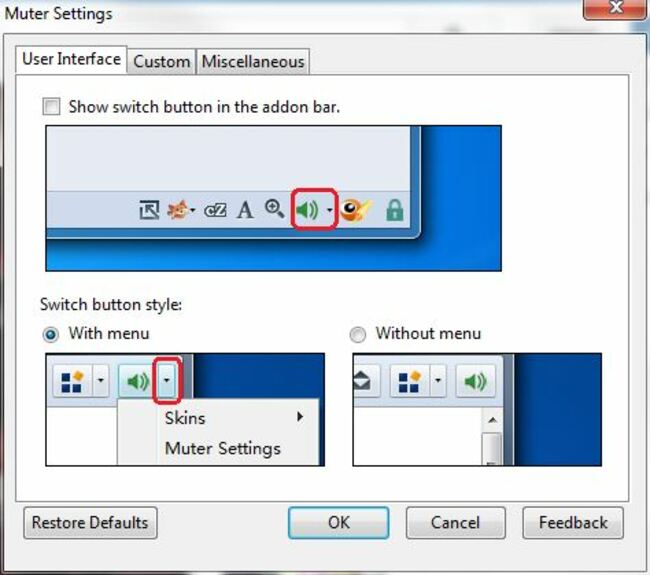
While there isn’t an option to mute tabs directly, the best workaround is Muter, which mutes the entire browser.
This isn’t exactly great if you rely on web apps to listen to music or audio, but it’s handy if another tab has started playing and searching is too much hassle.
Safari
The good news is this will become an official feature for Safari soon. In OS X El Capitan, the option to mute all tabs or individual tabs will come as a standard feature.
The bad news is for now, you can only access this feature by downloading the developer beta or wait till next month for the public beta. For everyone else, you’ll have to wait until later this year for the official version to be released.


To embed this post, copy the code below on your site















have your say