Sign in. It’s quick, free and it’s up to you.
An account is an optional way to support the work we do. Find out more.
Sign in. It’s quick, free and it’s up to you.
An account is an optional way to support the work we do. Find out more.

WHEN YOU HAVE a slow internet connection, there’s nothing worse than having to wait for a YouTube video to play.
For one, it takes ages for it to load up, it’s not sure what quality to set the video and once it starts playing, it hasn’t loaded enough to play to the end without interruption.
If this is the case, then it may be worth downloading something like SmartVideo (Chrome and Firefox) which gives you control of YouTube buffering.
It has a number of handy features such as allowing it to decide when to start your video based on your download speeds, deciding how much of the video should be loaded before it starts playing and notifying you when your video has reached that point.
This applies to YouTube videos on the main site and those embedded on another site (like this one for example).
It doesn’t solve the problem entirely, but if you find yourself regularly waiting for a video to load up, then this will make things a little easier for yourself.
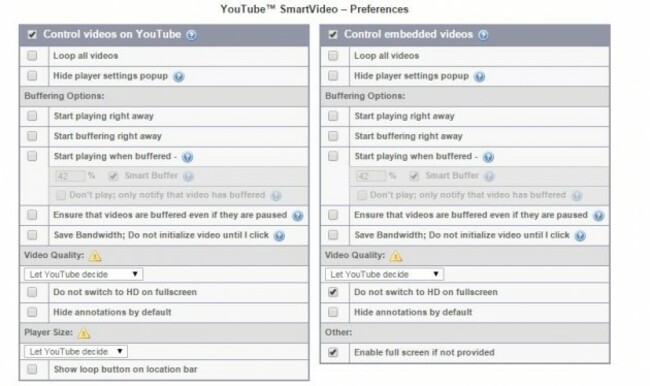
SmartVideo for YouTube (Chrome and Firefox)

To embed this post, copy the code below on your site














have your say