Sign in. It’s quick, free and it’s up to you.
An account is an optional way to support the work we do. Find out more.
Sign in. It’s quick, free and it’s up to you.
An account is an optional way to support the work we do. Find out more.
AT ONE POINT or another, your Android phone will begin to slow down. That’s inevitable with any phone, but what if it happens a little too quickly or other problems like apps shutting down randomly crop up?
When that happens, you’ll normally start looking for the app (or apps) that are causing this slowdown in the first place, but if your phone ends up becoming slow to the point of it almost being unusable, it’s worth activating safe mode.
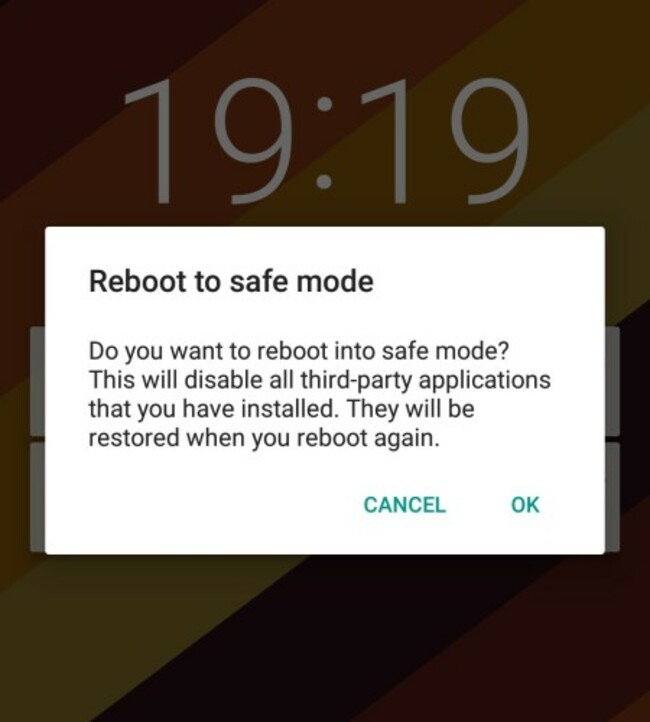
Safe mode only runs essential apps and services. Third-party apps don’t run meaning it’s very useful if you’re trying to troubleshoot or find the reason behind your phone’s woes.
There are two ways to activate it, depending on the phone you have. The first and easiest way to activate it is to hold down the power button until the ‘turn off phone’ menu appears. When it does, long-press it until you’re asked to reboot to safe mode.
The other method is to turn off your phone entirely. When you turn it back on and it shows the manufacturer’s logo on screen, hold down the down volume button until the option appears.
If that doesn’t work, then it’s likely you’re using an older phone in which case you’ll have to look up the specific steps needed to activate it, but once you’ve that figured out, it’s a matter of finding and removing the offending service.

To embed this post, copy the code below on your site













have your say