Sign in. It’s quick, free and it’s up to you.
An account is an optional way to support the work we do. Find out more.
Sign in. It’s quick, free and it’s up to you.
An account is an optional way to support the work we do. Find out more.

THOSE WANTING TO watch Netflix on the go but couldn’t because of data usage fears will be able to control how much data is used when streaming.
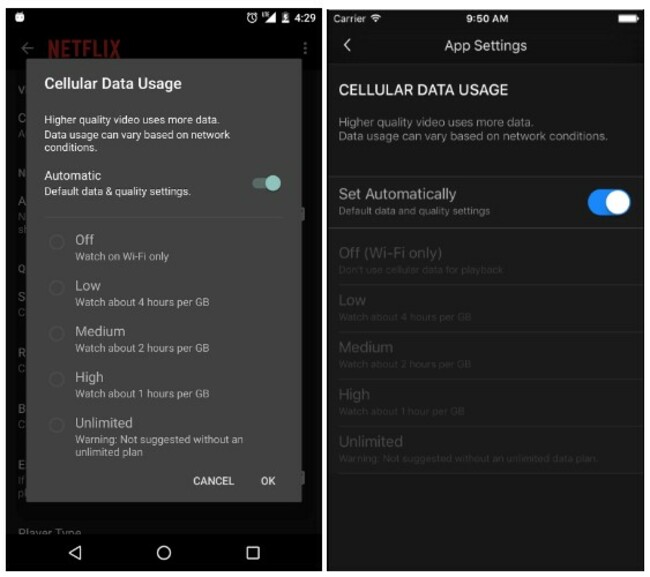
The latest update to its app includes a data saving mode which lets you decide roughly how much data you use while watching shows.
While the app already had a WiFi-only mode, the new addition lets you change the app’s data usage to Low (roughly four hours of streaming for every GB used), Medium (roughly two hours for every GB used), High (roughly one hour for every GB used) and Unlimited.
The default setting allows users to stream roughly three hours of shows and movies for every GB of data used.
Changing it is a matter of updating to the latest version and going into app settings (you’ll find it by going into the menu on the left-hand side). You must switch off the automatic option if you want to choose one of the above options.
A similar option is available for those watching Netflix on their browser.
If you go into Account Settings > Playback Settings, you can change the quality of video from Auto to Low (roughly up to 0.3GB per hour streaming), Medium (up to 0.7GB per hour) and high (up to 3GB per hour for HD, 7GB for Ultra HD).

To embed this post, copy the code below on your site
















have your say